Expense Claim Automation Malaysia: Faster Staff Claims
Expense claim automation in Malaysia helps SMEs capture staff receipts on WhatsApp, check each claim against policy, route approvals and reimburse on time.
It is the last week of the month. Your sales executive digs through a car door pocket for petrol and parking receipts, half of them faded. A technician sends twenty receipt photos to the admin WhatsApp at 11 pm. A manager signs a claim form without checking it, because there is no time to check it. Your accounts executive then rekeys every line into a spreadsheet, chases the missing receipts and finally posts the totals into the books.
Nobody joined your company to do this. Expense claim automation hands the capturing, checking and chasing to an AI agent, so your team approves and reimburses instead of rekeying.
What Is Expense Claim Automation?
An expense claim is how a staff member gets paid back for business spending from their own pocket: petrol, tolls, parking, client meals, travel, small supplies. Every claim needs proof, a policy check, an approval, a payment and an entry in your accounting records.
Expense claim automation means using software to handle the repetitive parts of that cycle:
- Capturing receipts. Staff send a photo or PDF of each receipt through a channel they already use, such as WhatsApp or email.
- Reading the details. The agent extracts the merchant, date, amount and other key fields with OCR and vision AI, so nobody types them in.
- Checking against policy. Each claim is compared with your rules, such as spending limits, claimable categories and submission deadlines.
- Routing approvals. Claims go to the right approver with the receipt and the checks attached.
- Recording and reporting. Approved claims are logged and posted to your accounting system, with a record of who approved what.
The goal is to remove the typing and chasing, not the judgement. Managers still decide what the company pays for.
Why Expense Claims Are Still Manual in Many Malaysian SMEs
Claims look small, but they eat time every month for a few common reasons:
- Receipts arrive everywhere. Paper receipts in wallets, photos in WhatsApp chats, PDFs in email, e-receipts in apps. Admin has to collect them from all of these places.
- Thermal receipts fade. Petrol, parking and restaurant receipts printed on thermal paper become hard to read within weeks, which makes a late claim harder to verify.
- Claim forms are rekeyed. Staff fill in a spreadsheet or paper form, then someone in accounts types the same figures into the accounting system again.
- Policy checks depend on memory. Limits for meals, mileage or accommodation live in a policy document few people read, so checks are inconsistent.
- Approvals get stuck. A claim waits on a manager who is travelling, and the staff member asks every week when they will be paid.
- Month-end bunching. Most claims arrive in the last few days of the month, at the same time as invoicing, payment reminders and the close.
The result is late reimbursements, frustrated staff, missing receipts and expense figures that are only known after month-end.
What You Can Automate in the Expense Claim Process
Not every step should be automated, but most of the routine is a good fit.
Receipt capture on WhatsApp and email
Staff send receipt photos the moment they pay, through WhatsApp or email, instead of keeping paper until month-end. The agent acknowledges each receipt and links it to the right staff member and claim period.
Data extraction with OCR and vision AI
The agent reads each receipt and pulls out the merchant, date, amount and description, then suggests a category such as fuel, tolls, parking, meals or travel. A clear photo taken on the day is far easier to read than a faded receipt found weeks later.
Policy and duplicate checks
Each claim is checked against the rules you set: Is the category claimable? Is the amount within the limit? Was it submitted on time? Has the same receipt already been claimed? Anything that fails a check is flagged with a short reason instead of being silently approved or rejected.
Approval routing and reminders
Claims that pass the checks go to the right approver with the receipt image and a summary. If an approval is waiting too long, the agent sends a reminder, so claims do not sit in someone's inbox.
Posting, reporting and follow-ups
Approved claims are logged in your expense records or a shared Google Sheet and posted to your accounting system. The agent can also remind staff about missing receipts before the cut-off, so the claim run is complete on time.
How Expense Claim Automation Works
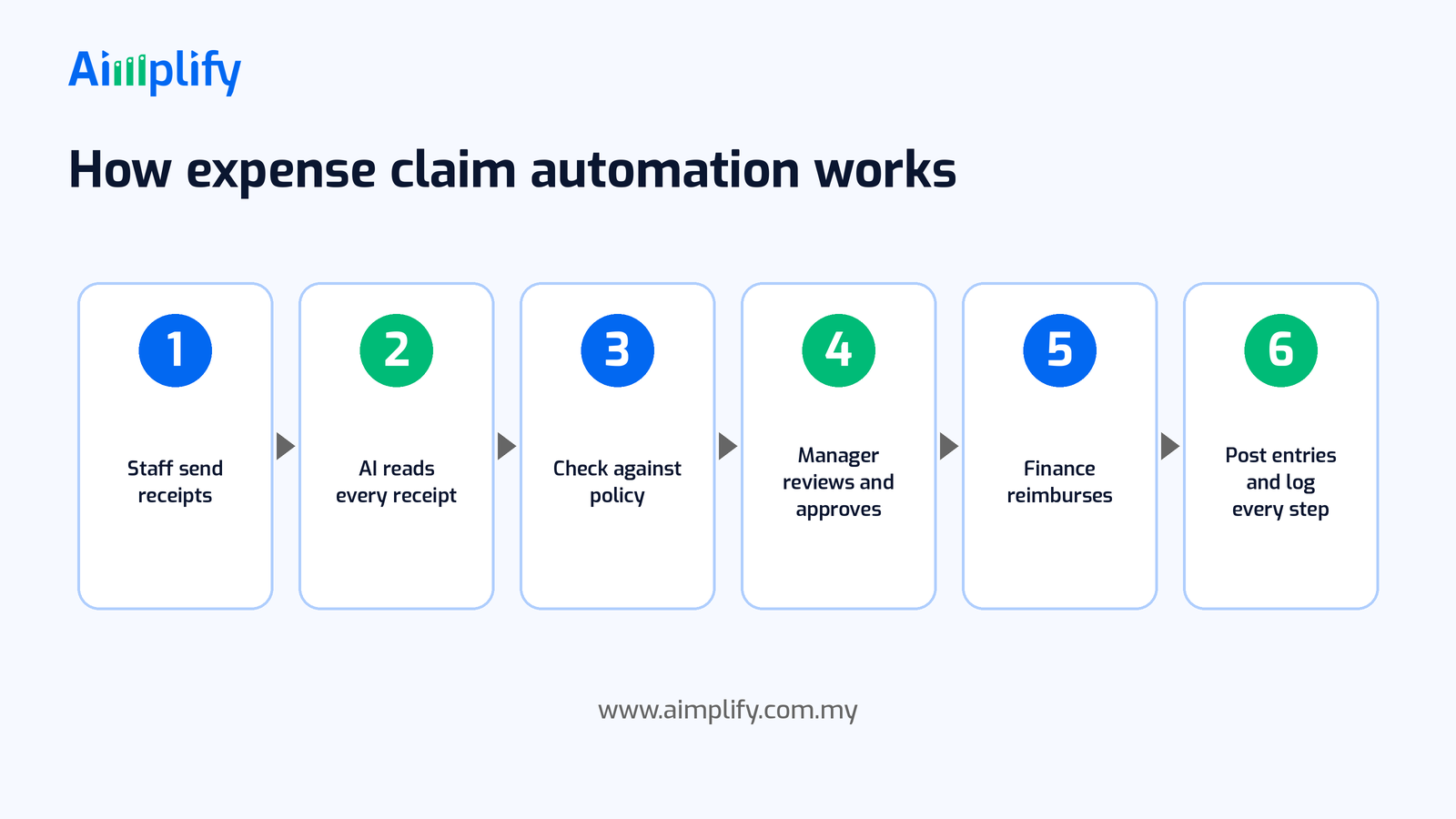
A typical automated expense claim flow runs in six steps:
- Staff send receipts. Employees send receipt photos or PDFs through WhatsApp or email as they spend.
- AI reads every receipt. The agent extracts the merchant, date, amount and description, and suggests a category.
- Check against policy. It compares each item with your claim rules and looks for duplicates, late submissions and amounts over the limit.
- Manager reviews and approves. The approver sees the receipt, the extracted details and any flags, then approves, queries or rejects.
- Finance reimburses. Your finance team pays the approved claims through your normal payment run.
- Post entries and log every step. Approved claims are recorded in your accounting system, and the agent keeps a log of what was submitted, changed and approved.
When something unexpected appears, such as an unreadable receipt, a foreign currency amount or a claim that does not fit any category, the agent should stop and hand it to a person rather than guess.
Keep Finance in Control
Expense claims involve company money and staff trust, so automation must make your controls stronger, not weaker. A sensible setup includes:
- A written claim policy. Clear categories, limits and deadlines give the agent something to check against, and give staff a fair, consistent answer.
- Approval before payment. Every claim is approved by a named person before it is reimbursed or posted.
- Separation of duties. The person who approves a claim should not be the person making the claim, and the person paying should not be the only one who can approve.
- Original evidence kept. Store the receipt images with each claim, so you can show what was paid and why.
- Data protection. Receipts and claim records can contain personal details such as names, phone numbers and locations. Handle them in line with your obligations under the Personal Data Protection Act 2010.
- You stay responsible. Your company and your accountant remain responsible for how claims are treated in the accounts. Automation does the capturing and checking; your team owns the decisions. For tax treatment of staff claims and allowances, check with your accountant or tax adviser.
An Expense Claim Readiness Checklist
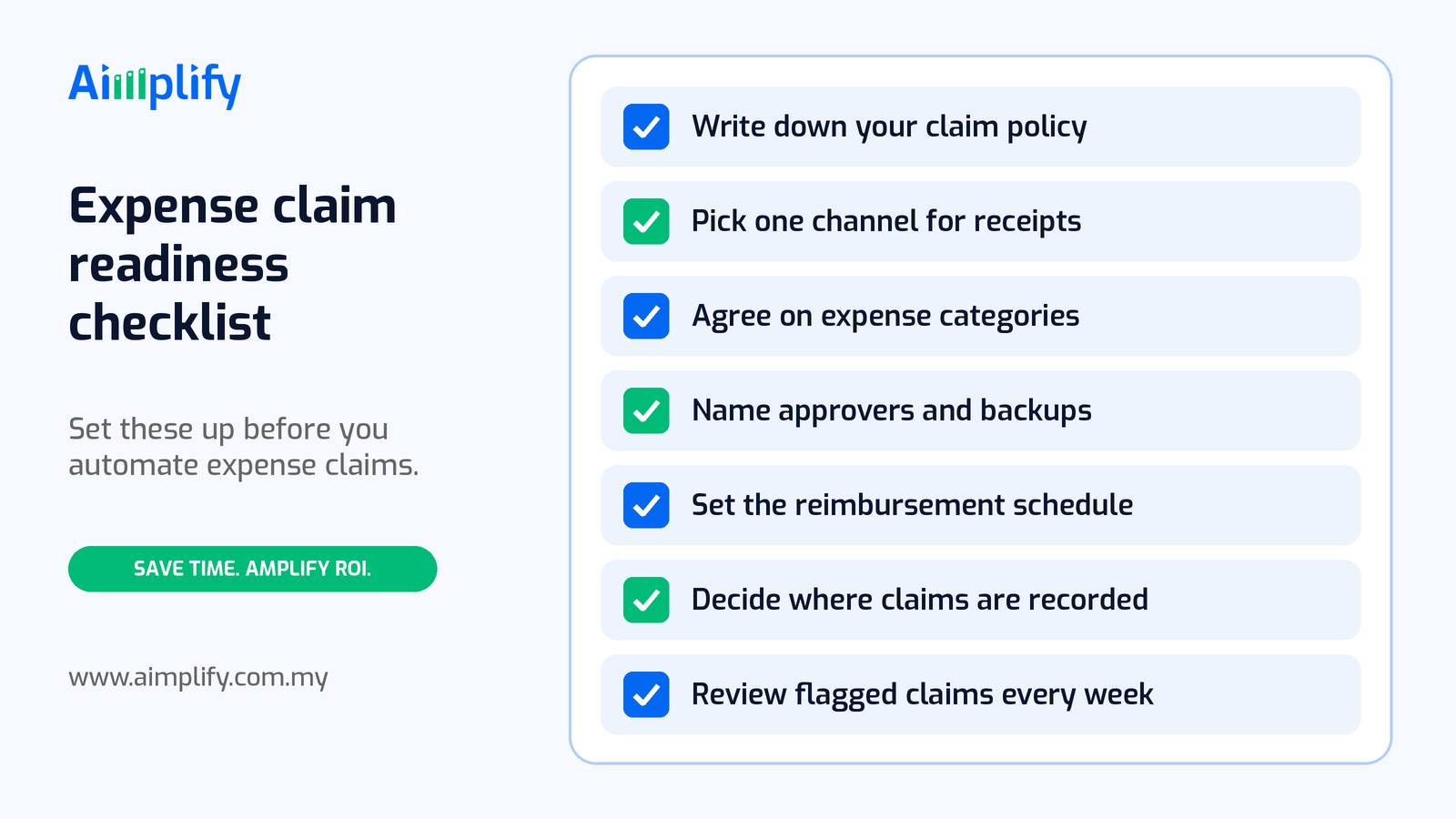
Before you automate expense claims, get these basics in place:
- Write down your claim policy. List what can be claimed, the limits for each category and the monthly cut-off date.
- Pick one channel for receipts. Decide whether staff send receipts by WhatsApp, email or both, and stop accepting them anywhere else.
- Agree on expense categories. Use the same categories in claims as in your chart of accounts, so posting is simple.
- Name approvers and backups. Decide who approves claims for each team, and who steps in when they are away.
- Set the reimbursement schedule. Tell staff when approved claims are paid, so nobody has to ask.
- Decide where claims are recorded. Choose the expense records or Google Sheet the agent updates, and the accounting system it posts to.
- Review flagged claims every week. Do not let exceptions wait for month-end; clear them while the details are fresh.
A good first candidate is the team with the most frequent small claims, such as sales, delivery or field service, because that is where receipts pile up fastest.
Where Aimplify Accounting Fits
Aimplify Accounting is Aimplify's AI accounting agent for Malaysian SMEs and accounting firms. It extracts data from receipts and invoices using OCR and vision AI, logs expenses, generates invoices, sends payment reminders and posts into your accounting system, including SQL Accounting.
For expense claims, that means staff can send receipts on WhatsApp, the agent reads and logs each one, checks it against the rules you agree during setup, and gives your approvers and finance team a clean claim list to review instead of a pile of paper. The same receipt capture also supports a faster close; see our guide to month-end receipt automation. If you use SQL Accounting, see how we approach SQL Accounting invoice automation, and once claims are recorded, bank reconciliation automation can match the reimbursements against your bank statement.
Aimplify works with your existing tools, such as your accounting software, email, WhatsApp, Google Sheets and cloud drives, rather than replacing them, and data cleaning and integration are included. Every company's claim policy is a little different, so the rules are set up with your team during implementation. Most teams follow our 28-day go-live plan: find the bottleneck, clean and connect, then put the AI workforce live.
Ready to hire your AI workforce? Book a live demo or talk to an AI Architect about the claims your team processes every month.
Frequently Asked Questions
What is expense claim automation?
Expense claim automation is using software to capture staff receipts, read the details, check each claim against your policy, route it for approval and record it in your accounts. Your team then approves and reimburses instead of collecting paper and retyping figures.
Can staff submit expense claims through WhatsApp?
Yes. Staff can send receipt photos to a WhatsApp number, and an AI agent reads each receipt, logs the details and links it to the right claim. Approvers still review the claim before anything is paid.
Can expense claims be fully automated?
Capturing, reading, checking and recording can be largely automated, but approval should stay with a person. Unusual items, unreadable receipts and claims outside policy need human judgement, and someone should approve every reimbursement.
Do I need to change my accounting software?
No. Aimplify Accounting is designed to work with your existing accounting system, including SQL Accounting, and with the tools you already use, such as email, WhatsApp and Google Sheets.
Will expense claim automation replace my admin or accounts staff?
The aim is to remove the typing and chasing, not the people. Your team still sets the policy, reviews flagged claims and approves payments, and has more time for reporting, credit control and supporting the business.
Related Articles
Lead Follow-Up Automation Malaysia: Reply on WhatsApp Fast
Lead follow-up automation in Malaysia helps SMEs reply to every WhatsApp enquiry fast, qualify leads, send timely follow-ups and pass hot leads to sales.
AI WorkforcePayroll Automation Malaysia: Faster, Accurate Pay Runs
Payroll automation in Malaysia helps SMEs gather attendance, leave and claims, prepare EPF, SOCSO, EIS and PCB, and run accurate pay without spreadsheets.
AI WorkforceAppointment Booking Automation Malaysia: Book on WhatsApp
Appointment booking automation in Malaysia lets SMEs take bookings on WhatsApp 24/7, confirm slots, send reminders and handle changes without extra admin.