Payroll Automation Malaysia: Faster, Accurate Pay Runs

Payroll automation in Malaysia helps SMEs gather attendance, leave and claims, prepare EPF, SOCSO, EIS and PCB, and run accurate pay without spreadsheets.
It is the 25th of the month. Your HR executive has three spreadsheets open: one for attendance, one for overtime and one for the leave balances a manager sent on WhatsApp. Two expense claims are still sitting in someone's inbox. A new hire joined mid-month, and nobody is sure whether the unpaid leave from last week was approved. Payday is in five days, and the numbers still do not match.
Nobody starts a business to spend the end of every month chasing timesheets. Payroll automation hands the collecting, checking and preparing to an AI agent, so your team reviews and approves a clean pay run instead of building it by hand.
What Is Payroll Automation?
A monthly pay run is a chain of small tasks: gather the inputs, apply the rules, calculate the deductions, check the results, pay staff and file the statutory contributions. In many SMEs, every link in that chain is done by hand.
Payroll automation means using software and AI agents to run the repetitive parts of that chain for you:
- Collecting inputs. Pulling attendance, overtime, approved leave, allowances and approved claims from the places they already live.
- Applying your rules. Using the salary, allowance and overtime rules you have agreed, the same way every month.
- Preparing statutory figures. Preparing EPF, SOCSO, EIS and PCB (monthly tax deduction) figures for review, based on each employee's details.
- Checking for gaps. Flagging missing timesheets, unapproved leave, new joiners, leavers and unusual changes before payroll is finalised.
- Producing outputs. Preparing payslips, payroll summaries and the reports your accountant or finance team needs.
- Answering staff questions. Replying to common "why is my pay different this month?" questions from approved information.
The goal is not to remove HR from payroll. It is to make sure the people who approve payroll spend their time checking and deciding, not copying and pasting.
Why Payroll Is Still Manual in Many Malaysian SMEs
Payroll feels like something you "just do" at month end, so few SMEs look at it as a process worth fixing. But the manual way quietly costs time and creates risk:
- Inputs are scattered. Attendance sits in a clock-in system or a paper log, leave lives in a spreadsheet or chat, and claims arrive as photos on WhatsApp or email.
- Statutory contributions add steps. Each month, employers deal with EPF, SOCSO, EIS and PCB, and each employee's situation can be different.
- Changes happen every month. New joiners, resignations, salary revisions, overtime, unpaid leave and bonuses all need to be reflected correctly.
- Knowledge sits with one person. Often only one staff member knows how the payroll spreadsheet really works. When they are on leave, payroll stalls.
- Errors are expensive. An underpayment upsets staff, an overpayment is awkward to recover, and wrong statutory figures mean extra work to correct later.
- Payslip questions pile up. After payday, staff ask HR to explain deductions, overtime and leave, one message at a time.
The result is a stressful last week of every month, late nights for HR and a payroll process that depends on memory instead of rules.
What You Can Automate in Payroll
Not every payroll decision should be automated, but most of the preparation is a good fit.
Attendance, overtime and leave inputs
An AI agent can gather attendance and overtime records, match them with approved leave and flag anything that does not add up, such as a missing clock-out or leave taken without approval. If you have already automated leave, see our guide to leave management automation.
Claims and allowances
Approved staff claims and fixed allowances can be pulled into the pay run automatically, so nothing is keyed in twice. Our guide to expense claim automation covers how claims get approved before they reach payroll.
Statutory figures for review
The agent prepares EPF, SOCSO, EIS and PCB figures based on each employee's details, using the payroll or accounting system you rely on. HR or your accountant still reviews the figures before anything is paid or submitted.
Joiners, leavers and salary changes
When someone joins, leaves or gets a salary revision, the agent checks that the change is reflected in the right month and flags partial-month pay for a person to confirm. New hire details can flow in from employee onboarding automation.
Payslips and staff questions
Once payroll is approved, payslips and summaries can be prepared automatically. The agent can also answer routine payslip questions from approved information and pass anything sensitive to HR.
How Payroll Automation Works
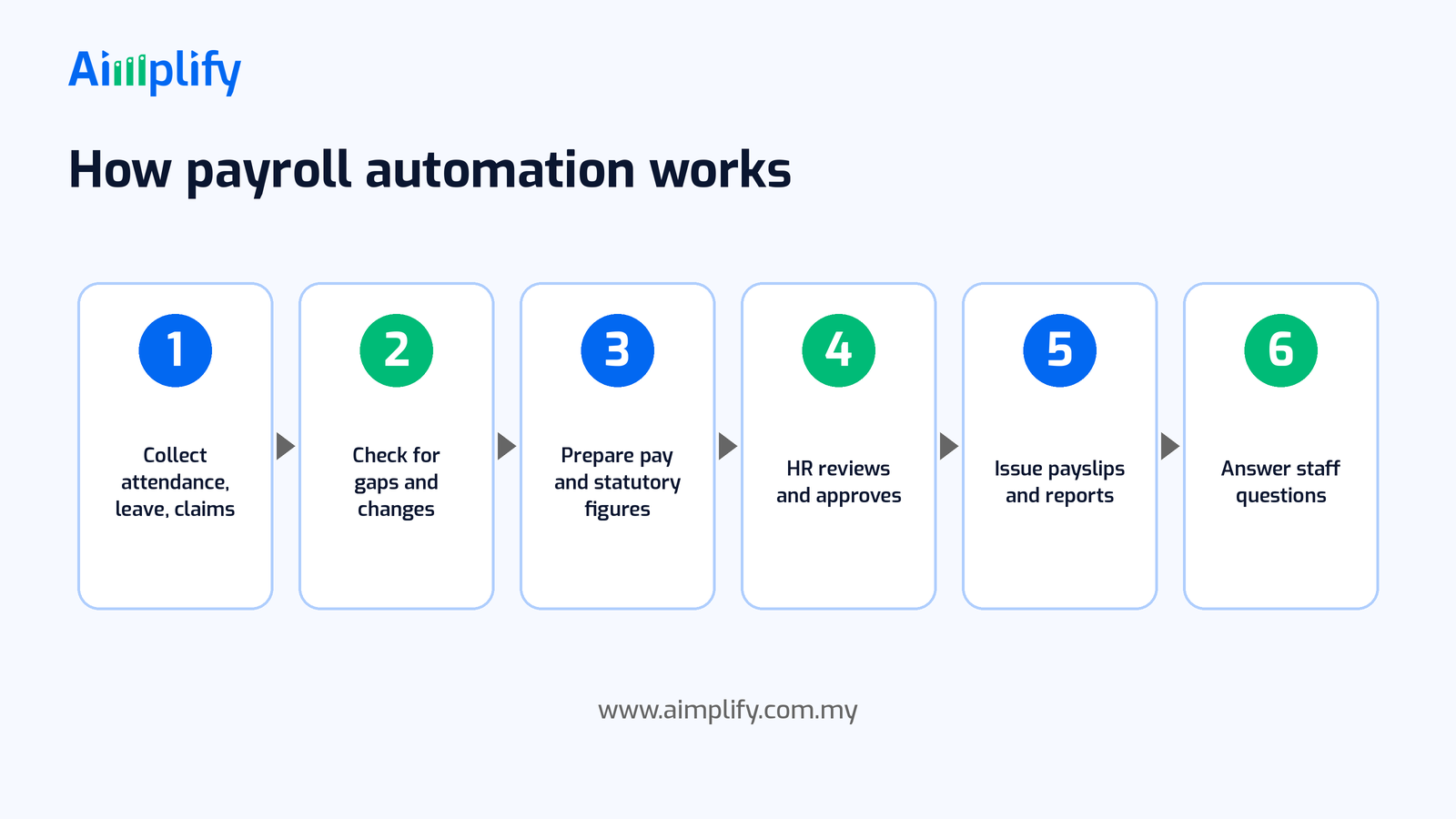
A typical automated payroll flow runs in six steps:
- Collect attendance, leave and claims. The agent gathers this month's inputs from the systems and files your team already uses.
- Check for gaps and changes. It flags missing records, unapproved items, joiners, leavers and unusual movements compared with last month.
- Prepare pay and statutory figures. It prepares gross pay, allowances, overtime and deductions, including EPF, SOCSO, EIS and PCB, for review.
- HR reviews and approves. A named person checks the summary and the flagged items, and approves the pay run.
- Issue payslips and reports. Payslips, payroll summaries and reports for finance or your accountant are prepared.
- Answer staff questions. Routine payslip questions are answered from approved information, and anything sensitive goes to HR.
Your team can see every input and every flag, and nothing is paid without human approval.
Keep Payroll Accurate and Confidential
Payroll touches money, statutory obligations and very personal data, so set up automation carefully:
- Write down your pay rules. Salary structure, allowances, overtime rules, unpaid leave and bonus policies need to be clear. The agent can only follow the rules you give it.
- Keep one source of truth. Employee details, salary and statutory information should live in one place that HR maintains.
- Always keep a human approval step. An agent can prepare and check, but a named person should approve every pay run and every statutory submission.
- Stay current with statutory changes. Contribution and tax rules can change. Check updates from the relevant authorities or your accountant, and update your setup when they do.
- Protect personal data. Salaries, IC numbers and bank details are sensitive. Limit who can see them and handle them in line with the Personal Data Protection Act 2010.
- Get professional advice when unsure. For complex cases, such as foreign workers, termination pay or special tax situations, check with your accountant or tax adviser.
A Payroll Automation Readiness Checklist
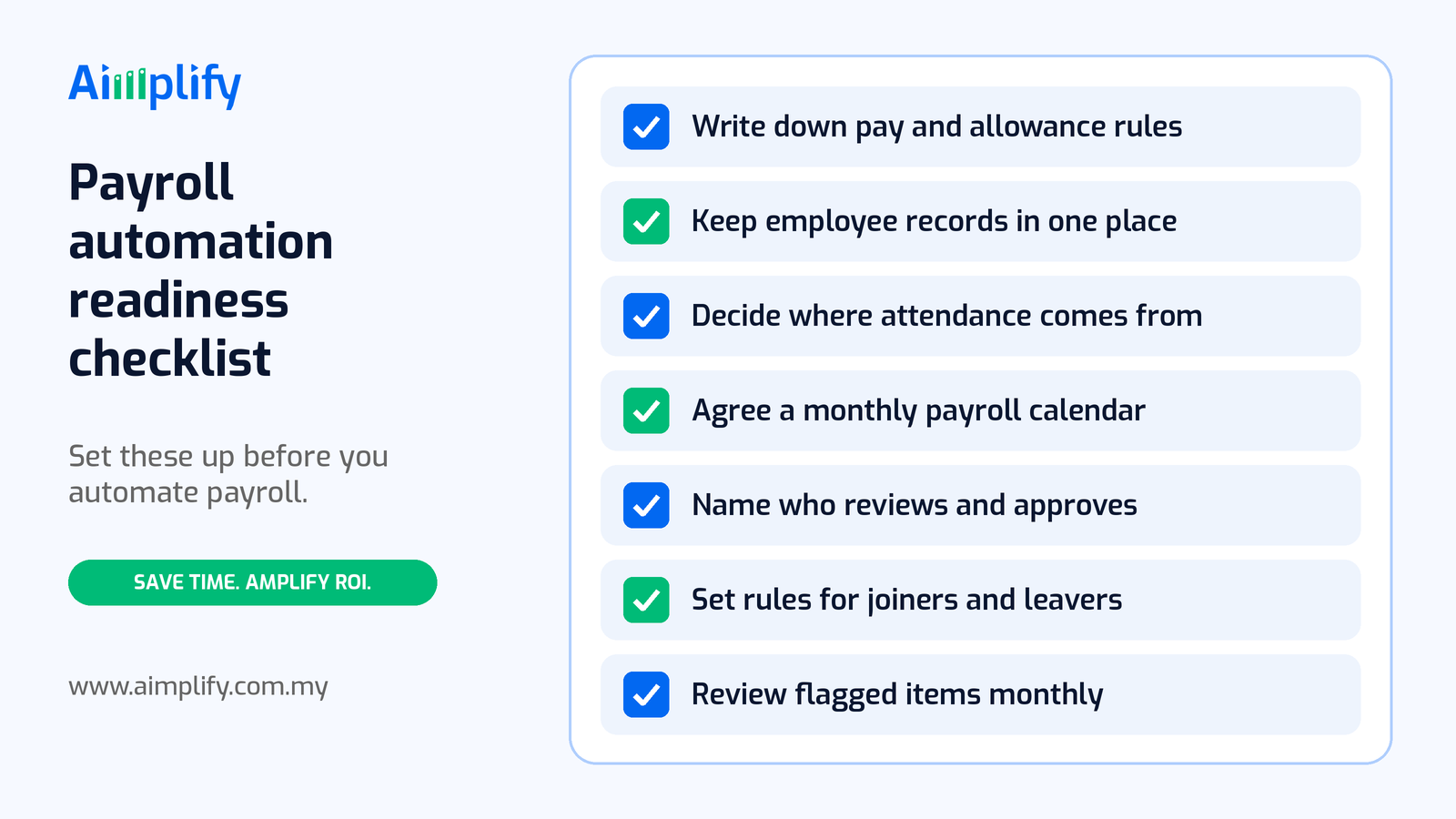
Before you automate payroll, get these basics in place:
- Write down your pay and allowance rules. Basic pay, fixed allowances, overtime and unpaid leave, in plain language.
- Keep employee records in one place. Each employee's details, salary and statutory information in a single, up-to-date record.
- Decide where attendance and leave come from. Agree which system or file is the official source for each input.
- Agree a monthly payroll calendar. Set cut-off dates for timesheets, leave and claims, plus review and payment dates.
- Name who reviews and approves. Pick the person who signs off each pay run, and a backup.
- Set rules for joiners and leavers. Decide how partial months, final pay and leave balances are handled.
- Review flagged items every month. Look at what the agent flagged, fix the root cause and adjust your rules.
A good first step is to automate input collection and checking, then expand to payslips and staff questions once the team trusts the numbers.
Where Aimplify HR Fits
Aimplify HR is Aimplify's AI HR agent for Malaysian SMEs. It takes on repetitive HR admin across the employee lifecycle, from resume screening and interview scheduling to onboarding documents, leave and payroll sync, with EPF and SOCSO compliance tracking in mind.
For payroll, that means the agent can gather attendance, leave and claims, flag gaps before cut-off, prepare figures for your review and keep payroll in sync with the HR and accounting tools you already use. Your HR team stays in control of approvals, and complex cases go to a person.
Aimplify connects to your existing tools, such as email, WhatsApp, Google Sheets and cloud drives, rather than replacing them, and data cleaning and integration are included. Your pay rules and approval steps are set up with your team during implementation. Most teams follow our 28-day go-live plan: find the bottleneck, clean and connect, then put the AI workforce live.
Ready to hire your AI workforce? Book a live demo or talk to an AI Architect about the payroll work your team does every month.
Frequently Asked Questions
What is payroll automation?
Payroll automation is using software and AI agents to collect payroll inputs, apply your pay rules, prepare statutory figures, flag gaps and produce payslips. HR still reviews and approves every pay run.
Can payroll automation handle EPF, SOCSO, EIS and PCB?
It can prepare EPF, SOCSO, EIS and PCB figures based on each employee's details and your payroll setup. A named person should review the figures before payment or submission, and you should keep your setup current with statutory changes.
Do I need to change my payroll or accounting software?
Not necessarily. Aimplify HR is designed to work with the tools you already use, so your team can keep its current systems while the agent handles the repetitive preparation.
Is payroll data safe with an AI agent?
Payroll data is sensitive, so access should be limited to the people and systems that need it, and handled in line with the Personal Data Protection Act 2010. Your team decides what the agent can see and do.
Will payroll automation replace my HR staff?
The aim is to remove the copying, chasing and checking, not the people. HR still owns the rules, reviews the results and handles complex or sensitive cases, with far less manual work each month.
Related Articles
Lead Follow-Up Automation Malaysia: Reply on WhatsApp Fast
Lead follow-up automation in Malaysia helps SMEs reply to every WhatsApp enquiry fast, qualify leads, send timely follow-ups and pass hot leads to sales.
AI WorkforceAppointment Booking Automation Malaysia: Book on WhatsApp
Appointment booking automation in Malaysia lets SMEs take bookings on WhatsApp 24/7, confirm slots, send reminders and handle changes without extra admin.
AI WorkforceExpense Claim Automation Malaysia: Faster Staff Claims
Expense claim automation in Malaysia helps SMEs capture staff receipts on WhatsApp, check each claim against policy, route approvals and reimburse on time.