Government Portal Automation Malaysia: Let AI Fill the Forms
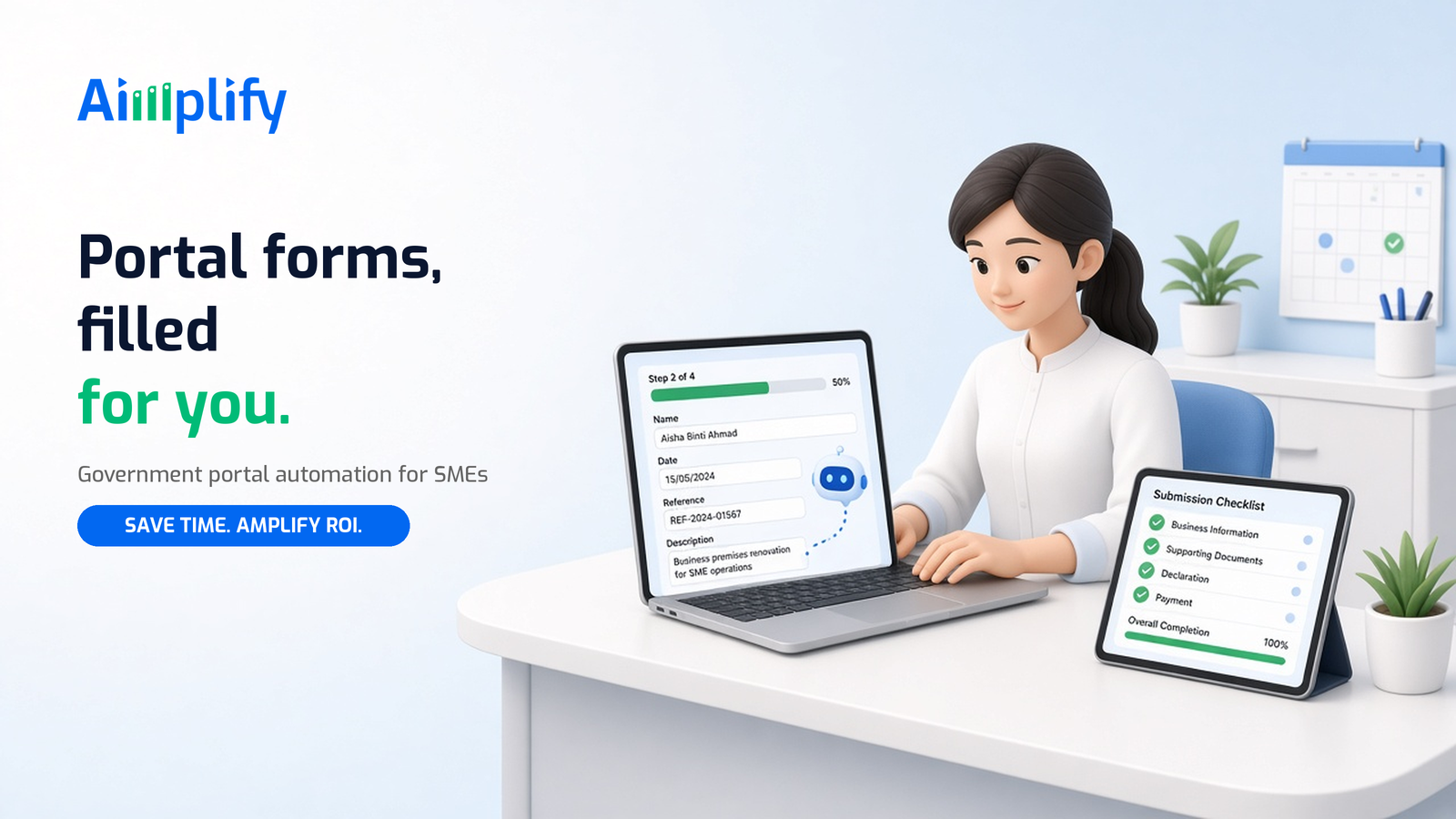
Government portal automation in Malaysia lets SMEs hand portal logins, form filling, uploads and downloads to an AI agent, while staff approve every submission.
If you run admin for a Malaysian SME, you know the routine. Month-end comes, and someone logs in to one portal after another. They key in figures that already sit in a spreadsheet, upload documents, download the acknowledgement and file it. Then they do it again for the next entity, the next branch or the next client.
None of this work is hard. It is just slow, easy to get wrong when you are rushing, and it stops the moment the one person who knows the steps goes on leave. Government portal automation is about giving that work to an AI agent that operates the portal the way your staff do, so your team checks and approves instead of typing.
What Is Government Portal Automation?
Government portal automation means using software to carry out the repetitive steps your team does on government and statutory websites: logging in, moving through menus, filling in forms from your own records, uploading supporting files, and downloading receipts or statements.
There are two broad ways to do it:
- API connections. Some systems offer an official API, a way for software to talk to software directly. Where an API exists and your systems support it, it is usually the cleanest route.
- Screen-level automation. Many portals are built for a person at a keyboard, not for system-to-system connections. Here, an AI computer agent works on the screen itself. It reads what is displayed, decides the next step, and uses the mouse and keyboard like a trained staff member.
For most SMEs, the second route matters more, because the portal work that eats their time rarely comes with an API they can use.
Why Portal Work Is Still Manual in Many Malaysian SMEs
Malaysian SMEs deal with a long list of online submissions across tax, statutory contributions, company records, e-invoicing, licensing and permits. Each portal has its own login, layout, file formats and quirks. A few reasons the work stays manual:
- No single system talks to all the portals. Your accounting software, payroll file and HR records each hold part of the data, and someone has to carry it across.
- The steps live in people's heads. There is often no written procedure, just the colleague who "knows how to do it".
- Volume is lumpy. Portal work bunches up around month-end and deadlines, which is exactly when your team is busiest.
- Multiple entities multiply the effort. Group companies, branches, or an accounting firm serving many clients repeat the same steps over and over.
- Mistakes are costly to unwind. A wrong figure or a missed upload means time on corrections, calls and resubmissions.
The result is skilled staff stuck on copy-paste work, and a process that depends on one or two people.
What You Can Automate on Government Portals
Not every portal step should be automated, but much of the routine is a good fit:
Data entry from your own records
The agent opens your prepared spreadsheet, payroll export or accounting report and keys the figures into the portal's form fields, the same values your staff would type.
Document uploads
It attaches the supporting files you have prepared, such as statements, invoices or registration documents, to the right sections of a submission.
Downloads and filing
It downloads acknowledgements, receipts, statements and notices, renames them consistently, and saves them into the right folder so your records stay tidy.
Status checks
It logs in on a schedule to check whether a submission, application or payment status has changed, and reports back so nobody has to keep checking by hand.
Multi-entity repetition
For groups, branches or accounting firms, it repeats the same routine for each entity in your list, using that entity's own data, so the twentieth one is done as carefully as the first.
How Government Portal Automation Works
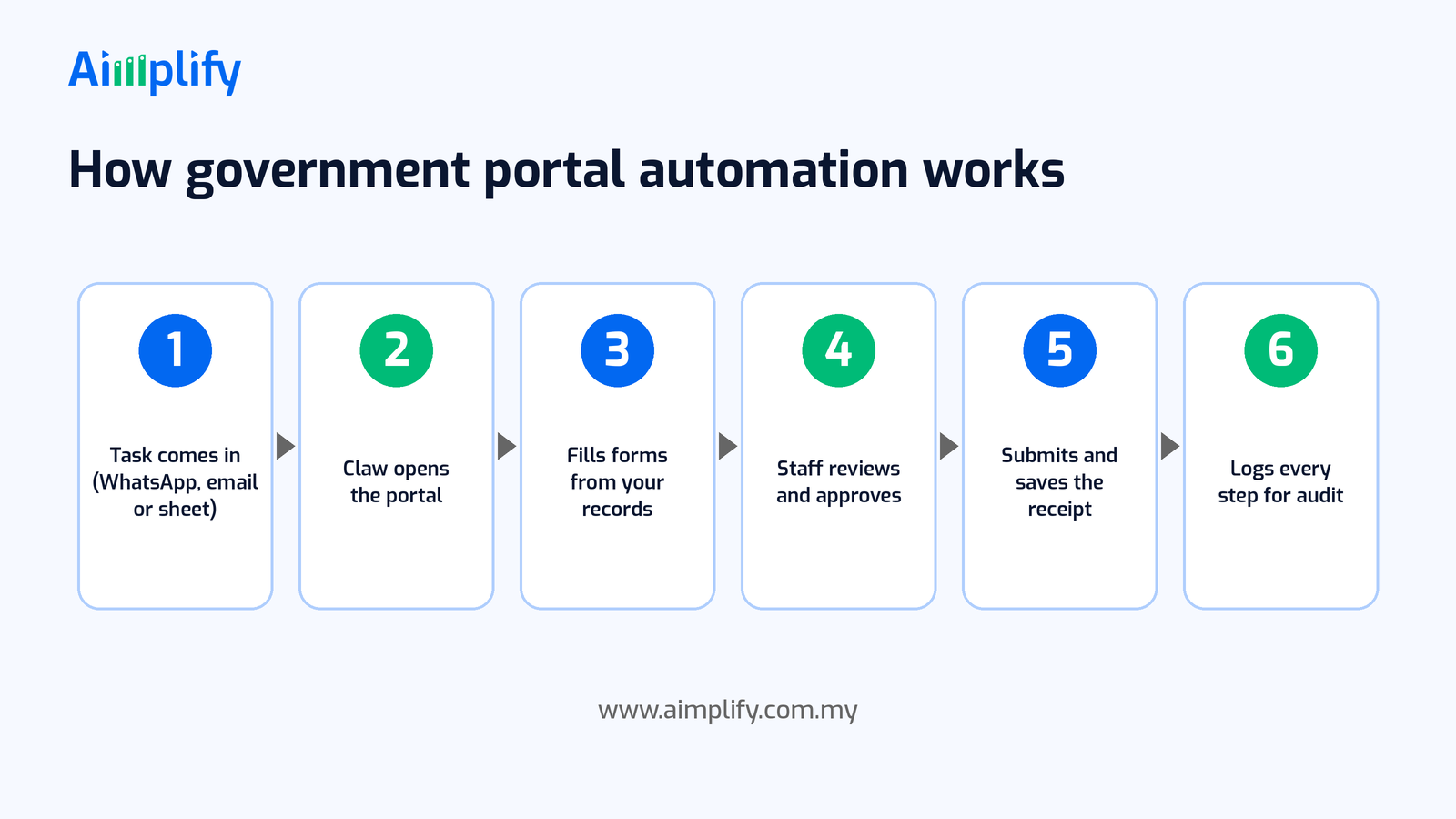
A typical automated portal workflow runs in six steps:
- A task comes in. It might be a scheduled monthly job, a request on WhatsApp or email, or a new row in a tracking sheet.
- The agent opens the portal. It works inside a controlled environment on a computer, opening the browser and the portal just as your staff would. Logins and any two-factor authentication are set up with your team, so access stays under your control.
- It fills in the forms from your records. It reads the source data you have prepared and enters it into the right fields, checking what appears on screen as it goes.
- Your staff review and approve. Before anything is submitted, it pauses at a human checkpoint. A person checks the filled form and approves it, or sends it back with a correction.
- It submits and saves the receipt. Once approved, it submits, then downloads the acknowledgement or receipt and files it where you keep your records.
- Every step is logged. It keeps an audit log of what it did and when, so you can see exactly what happened on every run.
When something unexpected appears, such as a changed page layout, an error message or a field it cannot match to your data, the agent should stop and hand the case to a person rather than guess.
Keep Humans in Control of Every Submission
Government submissions can carry legal and financial consequences, so control matters more than speed. A sensible setup includes:
- Approval before submit. Final submission, payments, declarations and anything legally binding should always need a named person to sign off.
- Clear ownership. Your company remains responsible for what is submitted. Automation handles the keying; your team owns the content.
- Access managed by your staff. Decide which accounts the agent may use, keep two-factor authentication with the people responsible, and remove access when roles change.
- A full audit trail. Keep the run logs alongside the receipts so you can answer "who did what, when" at any time.
- Data protection. Treat portal data, which often includes personal and financial details, in line with your obligations under the Personal Data Protection Act 2010.
- Exceptions go to people. Unusual cases, disputes and anything the agent is unsure about should land with a human, not be forced through.
Automation should make your team faster and more consistent, not take decisions away from them. Rules and deadlines for each portal are set by the agency that runs it, so confirm current requirements with the agency or your adviser.
A Portal Automation Checklist You Can Start With
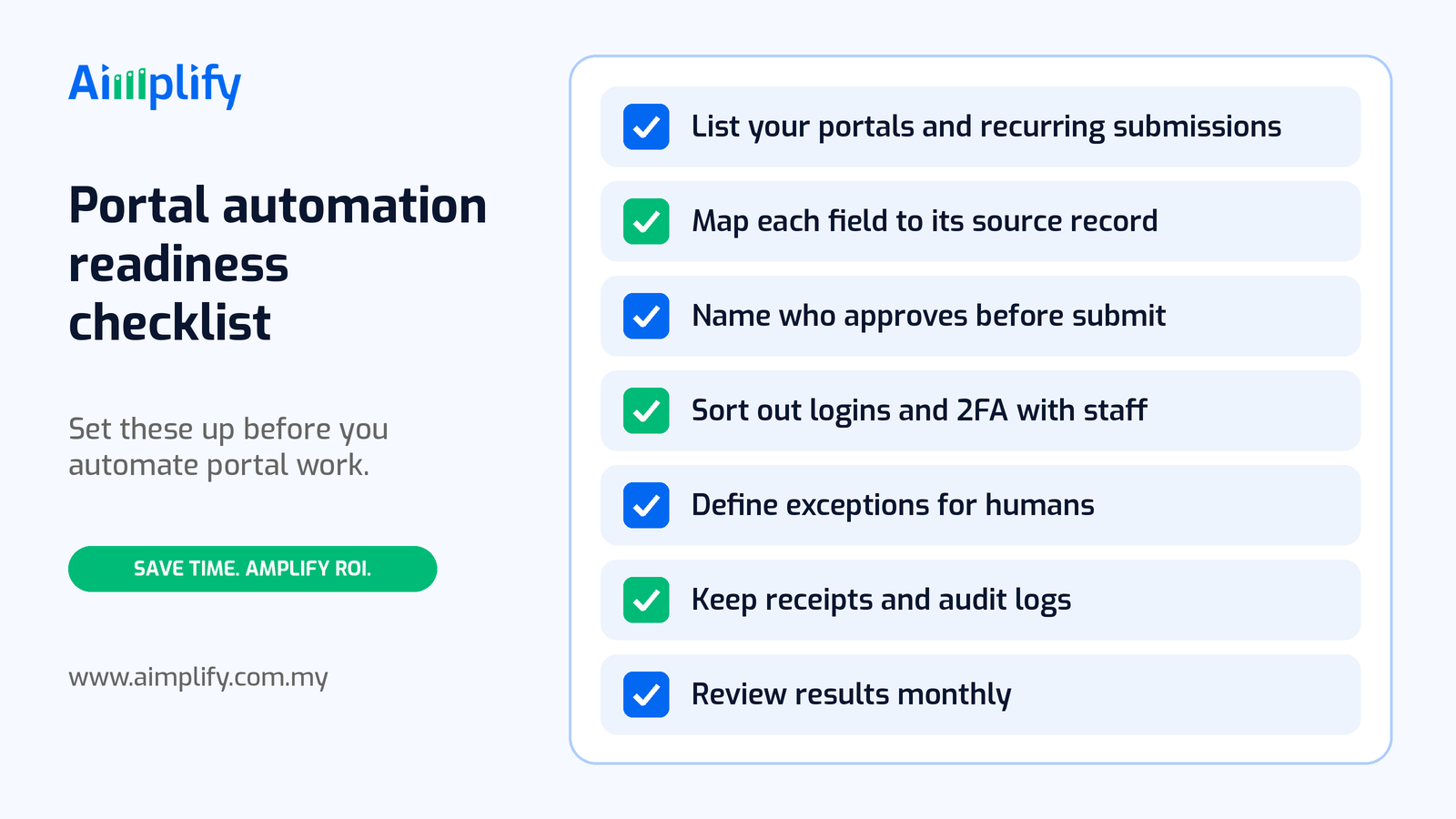
Before you automate any portal work, get these basics in place:
- List your portals and recurring submissions. Write down every portal your team uses, what is submitted, how often, and for which entities.
- Map each field to its source record. For every form, note where each value comes from: which spreadsheet, report or system.
- Name who approves before submit. Assign an approver, and a backup, for each type of submission.
- Sort out logins and two-factor authentication with staff. Agree which accounts will be used and who handles verification codes.
- Define exceptions for humans. Decide what should always be escalated, such as amendments, mismatched figures or new form versions.
- Keep receipts and audit logs. Choose one place where acknowledgements and run logs are stored.
- Review results monthly. Check a sample of runs, fix any gaps in the steps, and add new portal tasks one at a time.
A good first candidate is a task that repeats often, follows the same steps every time, uses data you already have in a clean format, and already has a person who checks the result.
Where Aimplify Claw Fits
Aimplify Claw is Aimplify's autonomous AI computer agent. It uses screen vision, task planning, and mouse and keyboard control to operate software the way a person does, including Excel, legacy desktop programs and government portals, with no API integration required. It can run multi-step, multi-app workflows on a schedule, keeps a full audit log, and supports human-in-the-loop checkpoints for sensitive tasks such as final submissions.
That makes it a fit for the portal routine described above: pulling figures from your files, filling in forms, pausing for approval, then submitting and filing the receipt. If you want the wider picture of what a computer agent can do across your desktop software, read our guide to AI computer agents in Malaysia.
Claw also works alongside the rest of the Aimplify AI workforce:
- Aimplify Accounting extracts invoice and receipt data and keeps your books up to date, so the figures Claw keys into a portal start clean. See month-end receipt automation.
- Aimplify HR handles HR admin such as onboarding and payroll sync, with EPF and SOCSO compliance tracking.
- Aimplify CS answers customers on WhatsApp around the clock.
Aimplify works with your existing tools rather than replacing them, and data cleaning and integration are included. Most teams follow our 28-day go-live plan: find the bottleneck, clean and connect, then put the AI workforce live.
Ready to hire your AI workforce? Book a live demo or talk to an AI Architect about the portals your team logs in to every month.
Frequently Asked Questions
What is government portal automation?
Government portal automation is using software to handle repetitive work on government and statutory websites, such as logging in, filling in forms from your records, uploading files and downloading receipts. An AI computer agent can do this on the screen, even when the portal has no API.
Do I need an API to automate a government portal?
No. Where an official API exists, it can be a good option. Where it does not, an AI computer agent such as Aimplify Claw can operate the portal through the screen, using the mouse and keyboard like a staff member.
Is it safe to let AI submit forms on a government portal?
It is safest when a person approves every final submission. Set human checkpoints before submit, keep logins and two-factor authentication with your staff, and keep a full audit log of every run. Your company stays responsible for what is submitted.
Which portal tasks should I automate first?
Start with tasks that repeat often, follow the same steps each time, use data you already have in a clean format, and already have someone checking the result, such as routine data entry, document uploads, downloading receipts and status checks.
Will portal automation replace my admin staff?
The aim is to remove the copy-paste work, not the people. Your team still prepares the data, approves submissions and handles exceptions, with more time for checking, follow-ups and higher-value work.
Related Articles
Lead Follow-Up Automation Malaysia: Reply on WhatsApp Fast
Lead follow-up automation in Malaysia helps SMEs reply to every WhatsApp enquiry fast, qualify leads, send timely follow-ups and pass hot leads to sales.
AI WorkforcePayroll Automation Malaysia: Faster, Accurate Pay Runs
Payroll automation in Malaysia helps SMEs gather attendance, leave and claims, prepare EPF, SOCSO, EIS and PCB, and run accurate pay without spreadsheets.
AI WorkforceAppointment Booking Automation Malaysia: Book on WhatsApp
Appointment booking automation in Malaysia lets SMEs take bookings on WhatsApp 24/7, confirm slots, send reminders and handle changes without extra admin.