Leave Management Automation Malaysia: An SME Guide
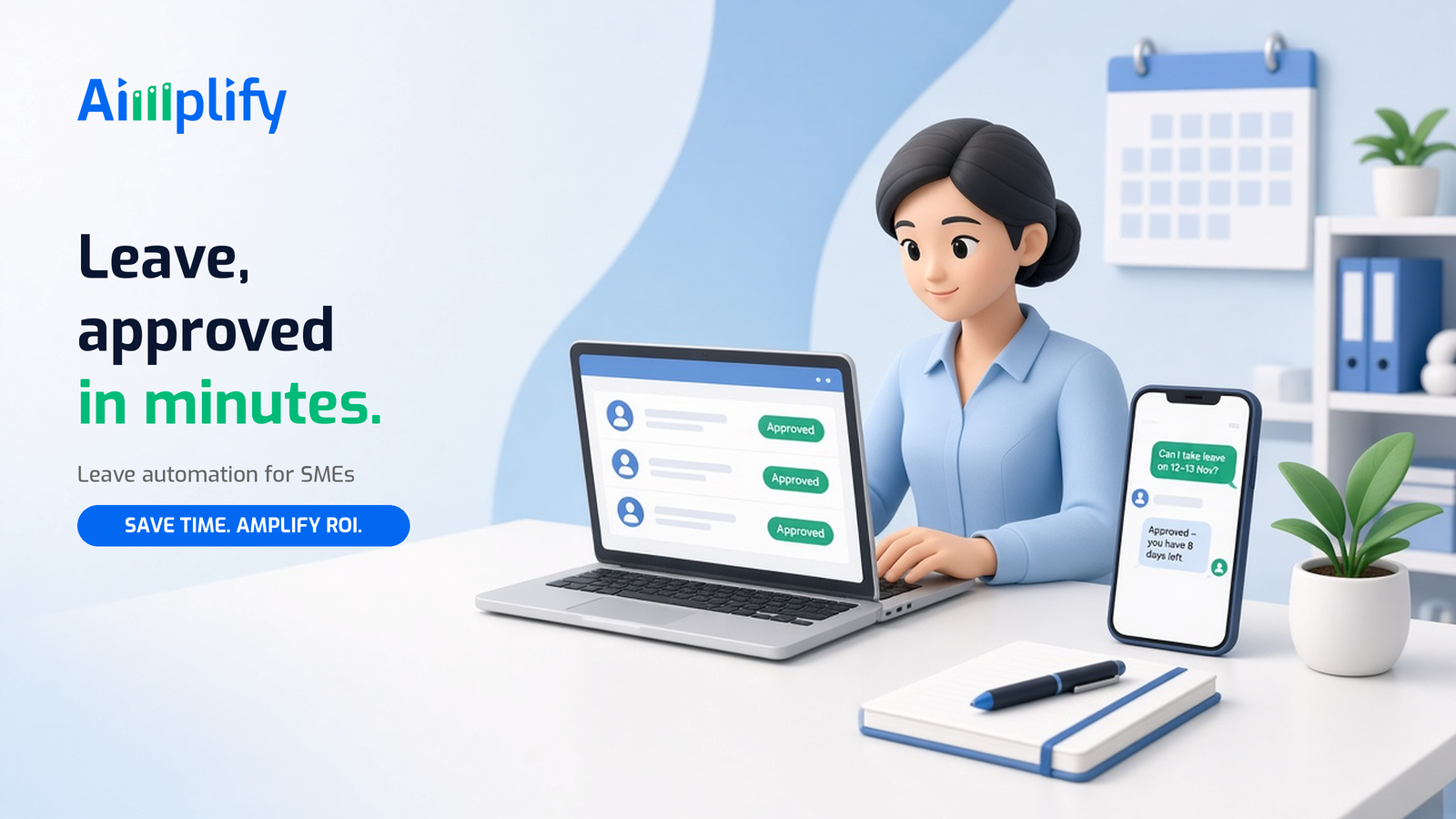
Leave management automation in Malaysia helps SMEs handle leave requests, approvals, balances and payroll updates on WhatsApp or web, with less admin.
It is Monday morning. Three staff have sent "MC today, boss" on WhatsApp, someone wants to swap their Friday leave, and payroll closes this week. The leave spreadsheet was last updated, you think, two weeks ago. For many Malaysian SMEs, leave is still run on chat messages, paper forms and memory. This guide explains what leave management automation is, what you can automate, and how to start without replacing your HR or payroll system.
What Is Leave Management Automation?
Leave management automation uses software to take in leave requests, check them against each employee's balance and your policy, route them for approval, update records and pass the results to payroll. Instead of an HR or admin person chasing messages and updating a spreadsheet, the system keeps everything in one place.
There are two broad options:
- Basic leave software: staff fill in a form or app, managers click approve. Useful, but staff still have to learn a new app, and medical certificates and unusual cases still land on someone's desk.
- An AI HR agent: staff request leave in plain language on channels they already use, such as WhatsApp. The agent understands the request, reads attached documents like medical certificates, checks the balance, asks the manager to approve and updates your records. People only step in for exceptions.
Why Leave Is Still Manual in Many Malaysian SMEs
Leave sounds simple until you count the moving parts:
- Requests arrive everywhere. WhatsApp, email, phone calls, a quick word at the counter. Nothing is logged consistently.
- Balances live in spreadsheets. Annual leave, sick leave, hospitalisation, maternity, paternity, replacement and unpaid leave are all tracked differently, often by one person.
- Entitlements differ by employee. Under the Employment Act 1955, entitlements can depend on factors such as length of service, and many companies add their own policy on top. Getting it right by hand takes time.
- Medical certificates need checking. Someone has to look at each MC, match it to the dates and file it.
- Payroll depends on it. Unpaid leave and other adjustments must reach payroll before it closes, or pay is wrong and has to be corrected later.
None of this is difficult on its own. Together it becomes a weekly admin load that grows with every new hire.
What You Can Automate in Leave Management
Leave requests on WhatsApp or web
Staff send a request the way they already communicate, for example "Can I take leave on 12 and 13 Nov?". The agent confirms the dates, the leave type and the remaining balance, then submits the request. No new app for staff to install.
Balance and policy checks
The agent checks each request against the employee's current balance and the rules you have set, such as notice periods, blackout dates or how many people in one team can be off at the same time. Requests that break a rule are flagged with the reason.
Manager approvals
The right manager gets a short summary with one-tap approve or reject. If they do not respond, the agent sends a reminder, and if needed escalates to a backup approver. The employee is told the outcome automatically.
Medical certificate capture
Using OCR and vision AI, the agent reads an uploaded MC photo, picks out the dates and clinic details, attaches it to the leave record and flags anything unclear for HR to review.
Records, calendars and payroll sync
Approved leave updates the employee's balance, your team calendar and your leave records. Payroll-relevant items, such as unpaid leave, are passed to payroll before the cut-off so they are not missed.
How an Automated Leave Workflow Works
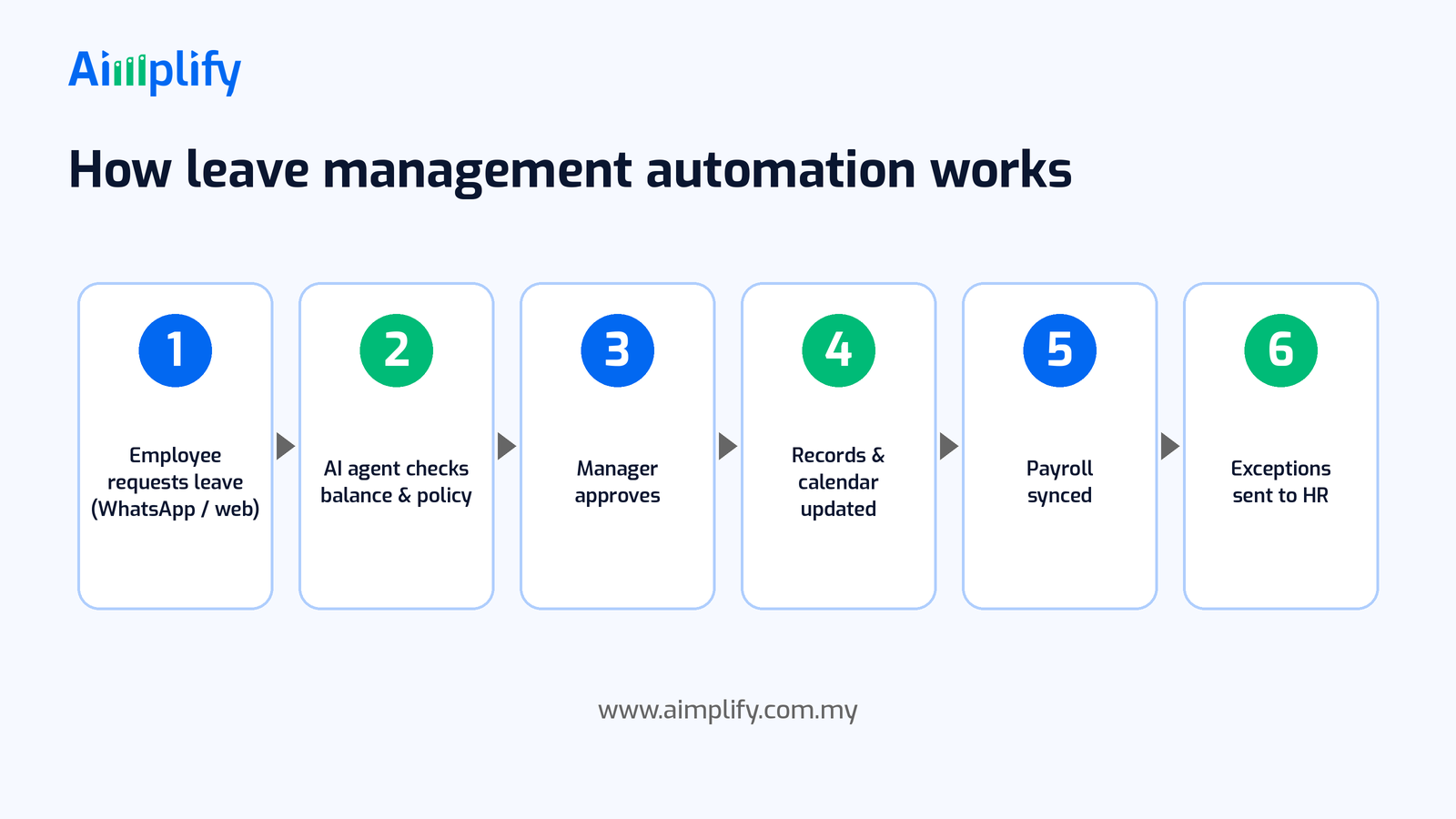
Here is what a typical leave flow looks like with an AI HR agent in a small Malaysian company:
- Employee requests leave. On WhatsApp or a web form, in plain language, with any supporting document attached.
- Agent checks balance and policy. It confirms the leave type, dates and remaining balance, and checks your rules.
- Manager approves. The manager receives a summary and approves or rejects, with reminders if they forget.
- Records and calendar updated. The balance, leave record and team calendar are updated, and the employee is notified.
- Payroll synced. Anything that affects pay is passed to payroll before it closes.
- Exceptions sent to HR. Disputed balances, unclear documents and special cases go to a person with the full history attached.
Keep Policies Clear and Humans in Control
Leave affects pay and morale, so automation must be set up carefully.
Write your leave policy down first. The agent follows the rules you give it. Make sure your entitlements, notice periods and approval chain are clear and at least meet the Employment Act 1955 where it applies. If you are unsure about statutory entitlements, confirm them with your HR adviser or the Labour Department before automating.
Protect employee data. Medical certificates and leave records are personal data under the Personal Data Protection Act 2010 (PDPA). Limit who can see them, store them securely and agree with your provider on how data is handled.
Keep decisions with people. The agent collects, checks and records. Managers decide on approvals, and HR decides on disputes, special leave and anything outside policy.
Use WhatsApp responsibly. If staff request leave over WhatsApp, use a proper business setup rather than a personal number, and follow WhatsApp's business messaging policies.
A Leave Management Checklist You Can Start With
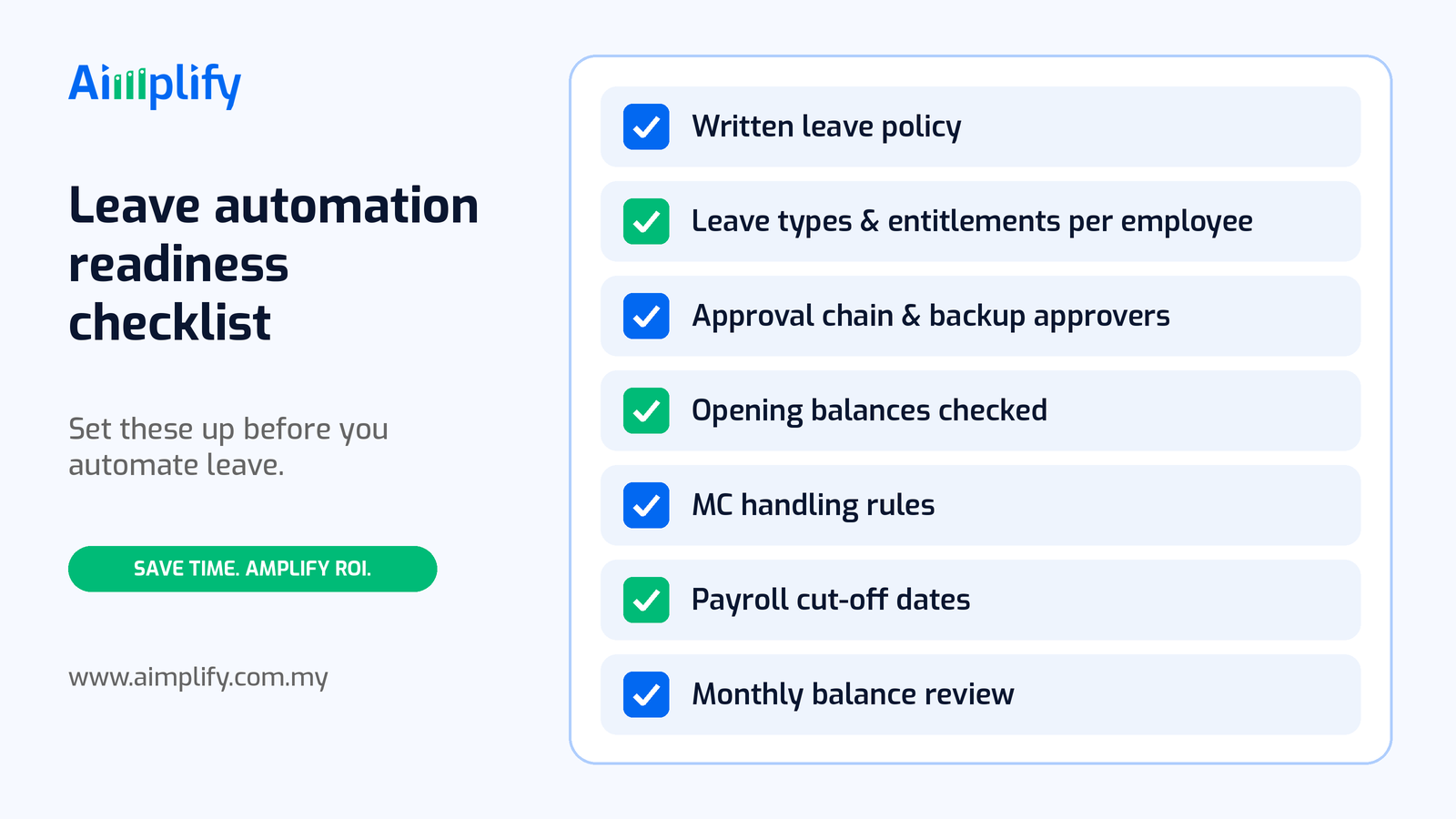
Before automating, get the basics in order:
- A written leave policy that staff have seen
- Leave types and entitlements set for each employee
- A clear approval chain, with backup approvers
- Opening balances checked and agreed
- Rules for medical certificates and how they are submitted
- Payroll cut-off dates for leave adjustments
- A monthly review of balances and exceptions
Once this is written down, it becomes the rulebook your AI HR agent follows.
Where Aimplify HR Fits
Aimplify HR is an autonomous AI agent for the HR admin that slows Malaysian SMEs down. Alongside leave, it handles resume screening, qualification chats on web and WhatsApp, interview scheduling, onboarding documents and payroll sync, with EPF and SOCSO compliance tracking.
Leave is usually one part of a wider HR workload. If hiring and new joiners are also taking up your week, see our guides to AI resume screening in Malaysia and employee onboarding automation.
We do not ask you to rip out your current HR or payroll software. Data cleaning and integration with tools such as WhatsApp, email, Google Sheets, cloud drives and your existing systems are part of the setup, and our 28-day AI implementation plan shows how we take a workflow from bottleneck to go-live. For admin work done inside desktop apps or government portals, Aimplify Claw can help; read more in our post on AI computer agents in Malaysia.
Ready to hire your AI workforce? Book a live demo or talk to an AI architect about automating leave management in your business.
Frequently Asked Questions
What is leave management automation?
Leave management automation uses software to receive leave requests, check balances and policy, route approvals, update records and pass changes to payroll. HR and managers still make the decisions, but no longer have to chase messages or update spreadsheets by hand.
Can staff apply for leave through WhatsApp?
Yes. An AI HR agent can accept leave requests on WhatsApp in plain language, confirm the dates and leave type, check the balance and send the request for approval. Use a proper business WhatsApp setup and follow WhatsApp's business messaging policies.
Does leave automation follow the Employment Act 1955?
It follows the rules you configure. Set up your leave types and entitlements so they meet the Employment Act 1955 where it applies, plus your own company policy. Confirm statutory entitlements with your HR adviser or the Labour Department before going live.
How are medical certificates handled?
Staff upload a photo of their MC. The agent uses OCR and vision AI to read the dates and clinic details, attaches the MC to the leave record and flags anything unclear for HR to check. MCs are personal data, so access should be limited under the PDPA.
Will it work with my payroll system?
An AI HR agent can connect to the tools you already use, such as your payroll software, Google Sheets and email. The aim is to pass approved leave and adjustments into your existing payroll before cut-off, not to replace it.
Related Articles
Lead Follow-Up Automation Malaysia: Reply on WhatsApp Fast
Lead follow-up automation in Malaysia helps SMEs reply to every WhatsApp enquiry fast, qualify leads, send timely follow-ups and pass hot leads to sales.
AI WorkforcePayroll Automation Malaysia: Faster, Accurate Pay Runs
Payroll automation in Malaysia helps SMEs gather attendance, leave and claims, prepare EPF, SOCSO, EIS and PCB, and run accurate pay without spreadsheets.
AI WorkforceAppointment Booking Automation Malaysia: Book on WhatsApp
Appointment booking automation in Malaysia lets SMEs take bookings on WhatsApp 24/7, confirm slots, send reminders and handle changes without extra admin.